
Find a model.
Then decide if you trust it.
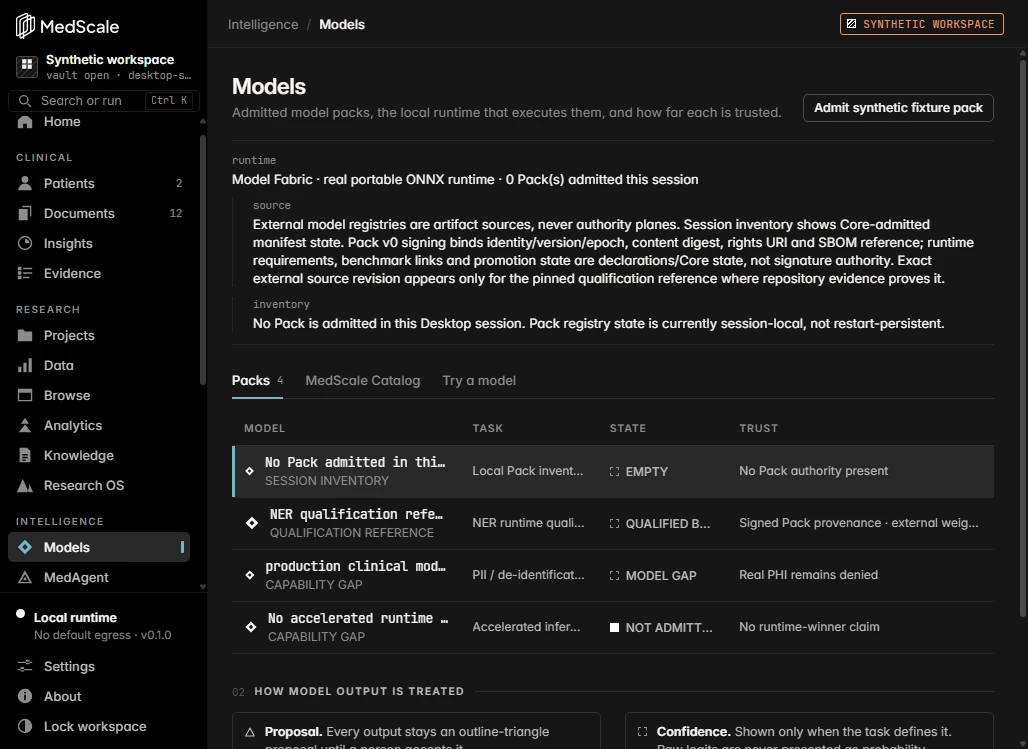
MedScale treats models as things to inspect, not as authority. You can see where a model came from, what runs it and what state it is in, before you put it to work.
Four states, always visible.
| State | What it means | What it does not mean |
|---|---|---|
| Listed | The model appears in the catalog with its source, task, format and download size. | Not installed. Not reviewed. Nothing has run. |
| Admitted | A local model pack folder is admitted. The Core verifies its manifest, digests and signature. | Pack registry state is per session today. |
| Running | The local runtime executes the model on your device and records a receipt for each run. | Output is a proposal, never an authoritative record. |
| Qualified | Independent evaluation shows the model is fit for one specific task. | Not granted to any model today, and never by the software alone. |
Browse first. Admit only what you choose.
The catalog in the desktop app lists models with their task, format, size and source identity. Search by name, family or language and filter by task, format and status. Browsing downloads nothing; a model runs only after you admit a local pack folder for it.
External model registries are sources, not authority. MedScale records where an entry came from; it does not inherit trust from it.
On your machine, within clear limits.
Admitted packs run on tract, a pure-Rust ONNX runtime, inside the Core. No native runtime to install.
Small encoder models such as token classifiers run on Candle, in Rust, on the CPU.
Transcription runs on device. It has been checked on synthetic speech only.
Model packs are bounded to 1 GiB, so large generative and multimodal models are not supported yet. No model is qualified for any clinical task.